Silverlight has been around for 5 years now. The last version of Silverlight, version 5 is the last version of Silverlight. There will be no Silverlight 6, these words have been going around quite a lot and we have seen them appear everywhere. We can accept that as a fact as Microsoft announced the support period for Silverlight 5 will be for 20 years! A plugin with so many features and the capability to compete with Flash has been discontinued too fast (5 years for a software product can be assumed to be short lived).
Did Silverlight give up to HTML 5? Due to the beginning of the mobile era. We are experiencing the come back of the thin client (not being thin for long!). Browser plugins have been discontinued and HTML 5 has started gaining importance. Most of the things that Silverlight does can be done by HTML 5. The problem Silverlight is facing is the rejection from mobile devices which are soon becoming the main stream of content consumption. Silverlight still has a huge advantage against other development techniques. For example, for a .net developer or a firm already developing on the .net framework:
- it is easier to put together a great looking dashboard with useful data in it when connecting to a back-end service
- media content with DRM support
- adding animations and great visual effects (using Expression Blend), can be done by any .net developer! (was the main reason I started learning Silverlight as a hobby)
- put together a moderate game (haven’t done it yet but assuming it is as straight forward as anything else) using XNA
- most importantly gaining consistency across all browsers and all platforms for any content (websites, dashboards etc.). This is a biggie after having spent countless hours on getting the website look nearly the across different browsers. (though there are a few great tools like mordernizer, that alleviate the problem)
- Out-Of-Browser, this is another great feature.
- and many more…
Silverlight still has its place, there are many greenfield projects using this as the main technology.
Why was Silverlight discontinued?
With all the great features Silverlight has, along with a huge space for improvement and enhancement (great new features are being requested), why was Silverlight discontinued? We can find one answer to this question in why was Silverlight started?
Why was Silverlight started?
Developers are the key to a success of a platform. For a product to be successful it needs more users, for a framework or a platform to be successful it needs more developers. Windows 8 is one such huge platform. It needs developers and a lot of them. By unifying the mobile and desktop worlds (more on this in another discussion), it is possible to have one set of developers put out great programs across the board (all devices) rather than limiting to one screen. This is a win-win situation where the software application gets more users and the platform gets more developers. Now to unify all the platforms to run on a common core, it requires a new technology and existing ones cannot do the trick as each has been designed with its own domain in mind. The new technology which unites all realms if you will, is XAML. The use of a familiar development strategy across all the platforms provides a huge boost to developer’s learning curve.
The Story
A few years back there were mainly three groups of developers (an over generalisation, I agree, just for the sake of the argument), as shown in the figure.
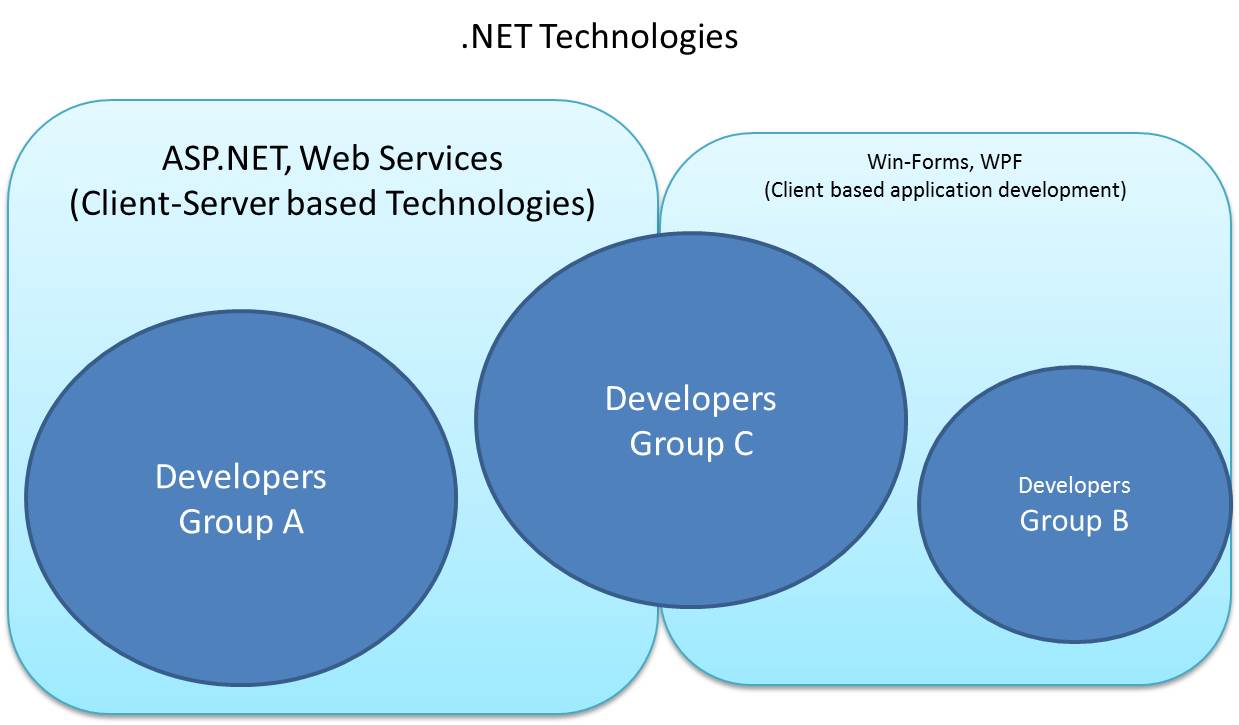
Developers in Group A concentrating only on the web technologies. Developers in Group B focussed on building applications that mainly lived on the client machines with little to no server interactions. There was a third group, which consists of developers interested in both the worlds and was comfortable with the switching between Web development (purely stateless, though there are many ways to counter the effect of statelessness) and Client development (complete control over the state of the application all the time and introduces a beast on its own UI and background threads). The number of developers in Group A and Group C were greater than those in Group B (client side development only).
Planning a unifying platform as large as Windows 8.
A great amount of time and energy goes into the planning and development of a system (platform, software application or anything for that matter). When the system need to be simple, a greater effort is needed. It takes greater effort to construct a simple looking system that does complicated things than to build a complex looking system that does complex things. For Windows 8 (not to mention anything about the simplicity of the system), the planning and development process takes more than 5years. Launching a product requires vision, planning and careful execution of that plan. For Windows 8 to succeed as a platform it needs more developers (a lot of them) developing applications for it. The more the applications, the greater the adoption.
What is the unified platform and how to bring more developers to it?
XAML is the key language chosen to enable develop applications for Windows 8. If this was a decision taken around 5 years back (not the Windows 8 name or any of the UI itself but the core and development technology to support a platform), then the next step would be to plan and introduce XAML to as many developers as possible. WPF was introduced in 2006 with XAML being used for the UI design. This targets Group B developers and brings most of them from Win-Forms world to WPF world. There still are a large number of developers in Group A who haven’t been introduced the idea of XAML, but have been comfortable with using HTML as markup language.
Introduction of Silverlight
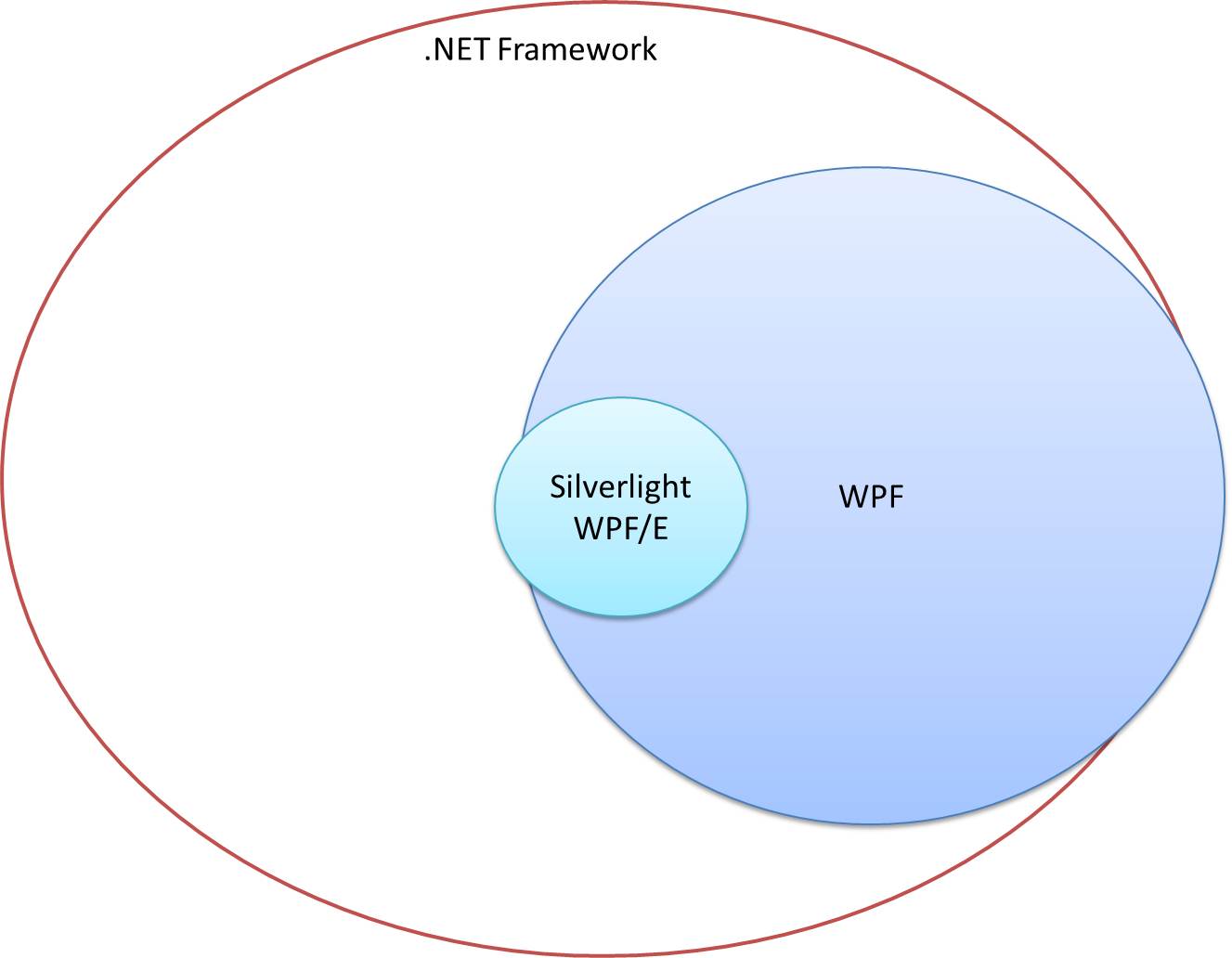
Most developers if not all, would be excited about the idea of being able to create slick graphics and animations without learning a new language and with existing skill-set that they use day-in and day-out. Silverlight provides a way to develop great graphics, slick animations using XAML as the markup language. Now that is something everyone in the Web development sphere are good at, using HTML to create UI elements. New concepts to comprehend to were, there is state available and suddenly you get to access any control and get its value with out worrying about view state and caching the context of requests in session or application state to be able to get to it later. Silverlight shined well with web developers and client side application developers, as it is a combination of concepts between both the worlds.
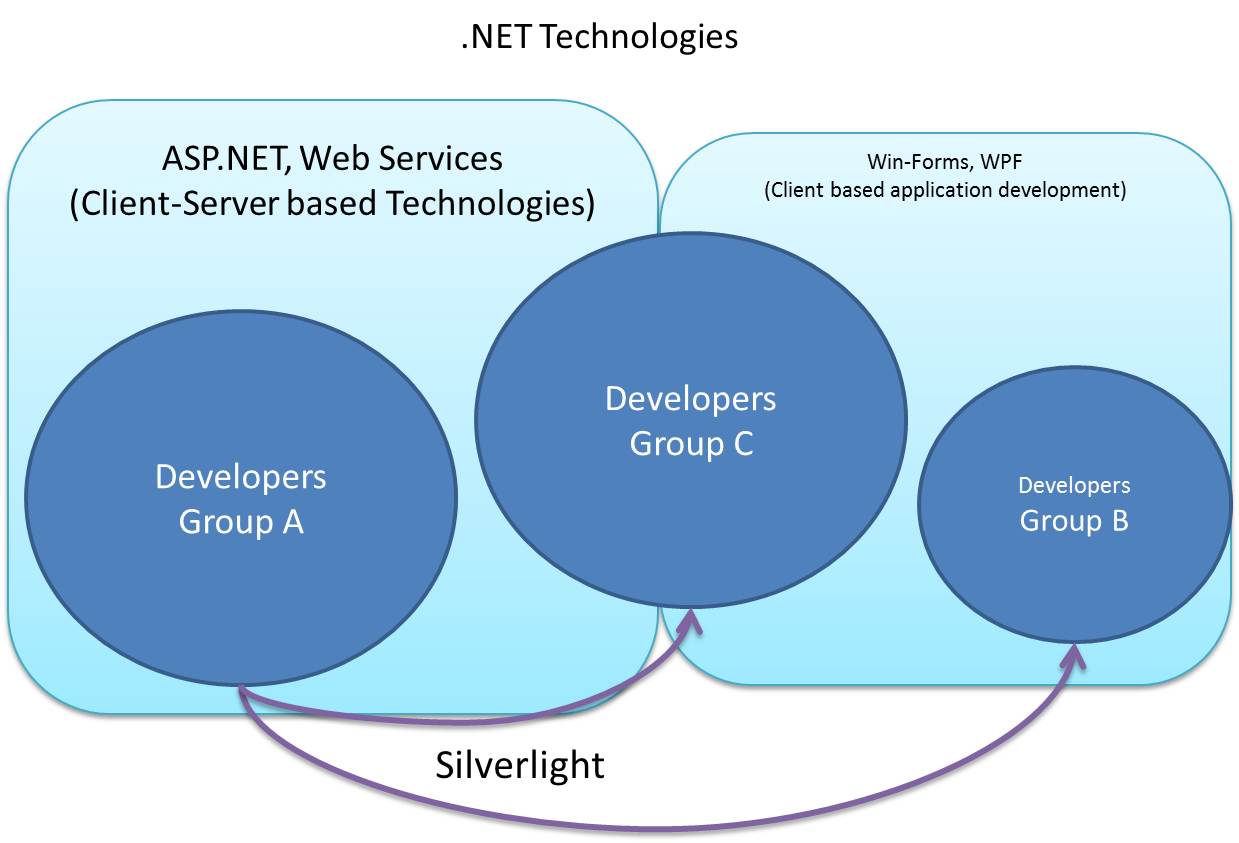
Silverlight brought many of the developers from Group A to Group B and Group C, minimising the difference between technologies.That points at one reason why Silverlight was started.
Windows Phone 7
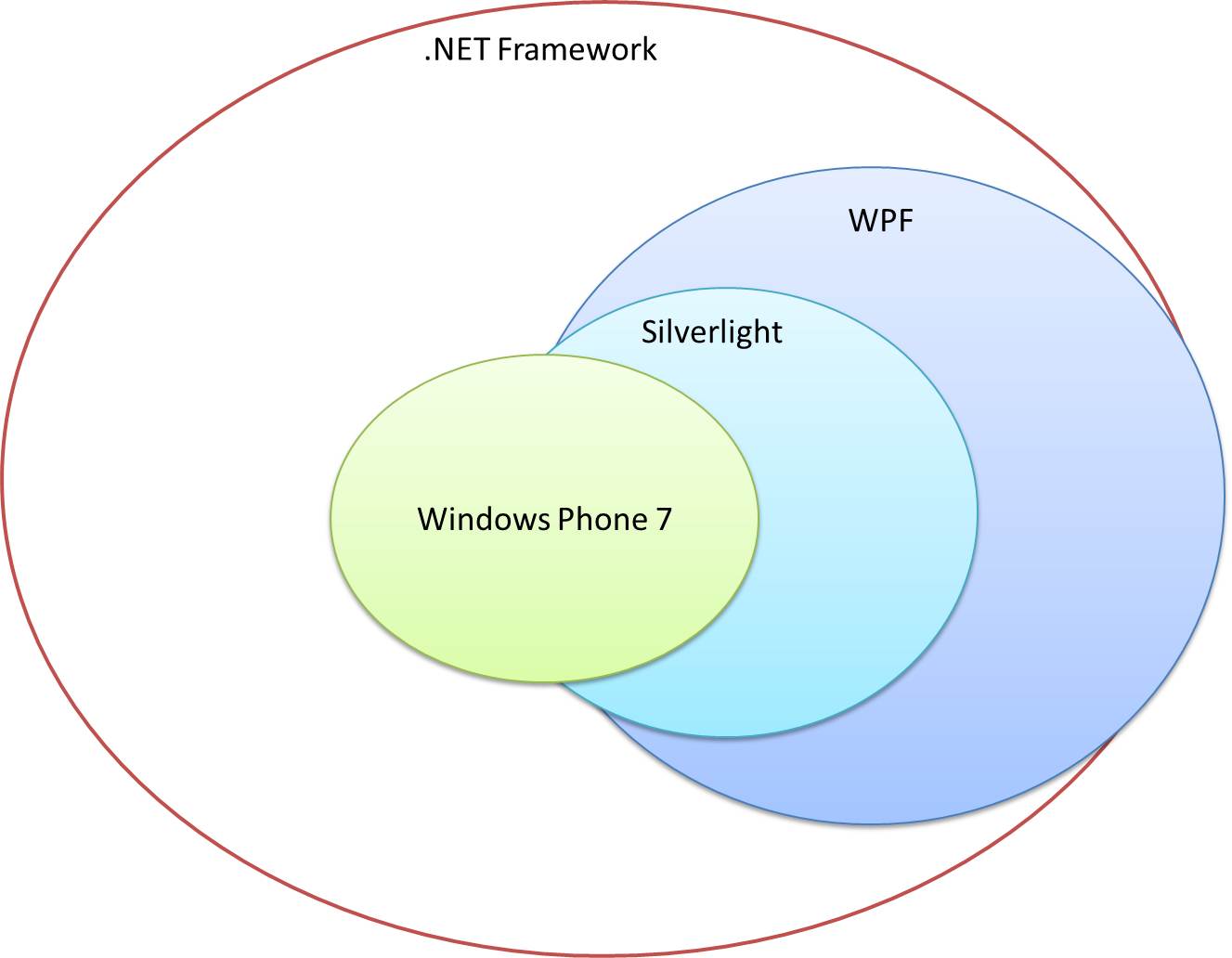
By basing the entire Windows Phone 7 framework on Silverlight, gives it the developer number advantage. By this time there is already a large developer base fully equipped with the skills to develop a Windows Phone 7 application. The sad part is that the full runtime cannot be brought into the phone and hence a trade off had to be made with developer’s comfort and new APIs.
Discontinuing Silverlight sends all the developers towards XAML development.
Once Silverlight is discontinued, all the developers can now focus on Windows 8 development. Silverlight is not supported in IE 10 in the metro mode, all plugins are disabled in the metro mode which will be used by all the Windows 8 tablets to come out in a few months.
There are other non-XAML developers who have skills in the HTML-Javascript space. By supporting applications developed in HTML and Javascript, this group of developers can now develop applications for Windows 8.
In the End
Silverlight still remains an appropriate choice when providing solutions that doesn’t involve mobile applications.
Windows 8 provides a greater number of features to work on and is no different from either WPF or Silverlight development. Being able to develop applications once and target them for multiple screens desktop, tablets and phones is a great way to reach out to the users with the least possible effort compared to developing and maintaining a minimum of three development environments previously.
Namaste
Nrupal

 nrupal